Public Wi-Fi and VPNs: how to stay safe when you're out and about
Last week we covered backups and the 3-2-1 rule — the safety net for when something goes wrong. This week is about not handing the keys over in the first place: the coffee-shop hotspot, the hotel lobby, the train — and the simple habit that keeps you safe on all of them.
The café Wi-Fi that wasn't the café's
A Greater Manchester accountancy practice called us in last month after one of their consultants had a rough Tuesday. Let's call her Sarah. She'd spent the morning in a café, connected to what she thought was the café Wi-Fi, and worked through her email, OneDrive and a client portal. By lunch, her inbox was filling with password reset emails she hadn't requested.
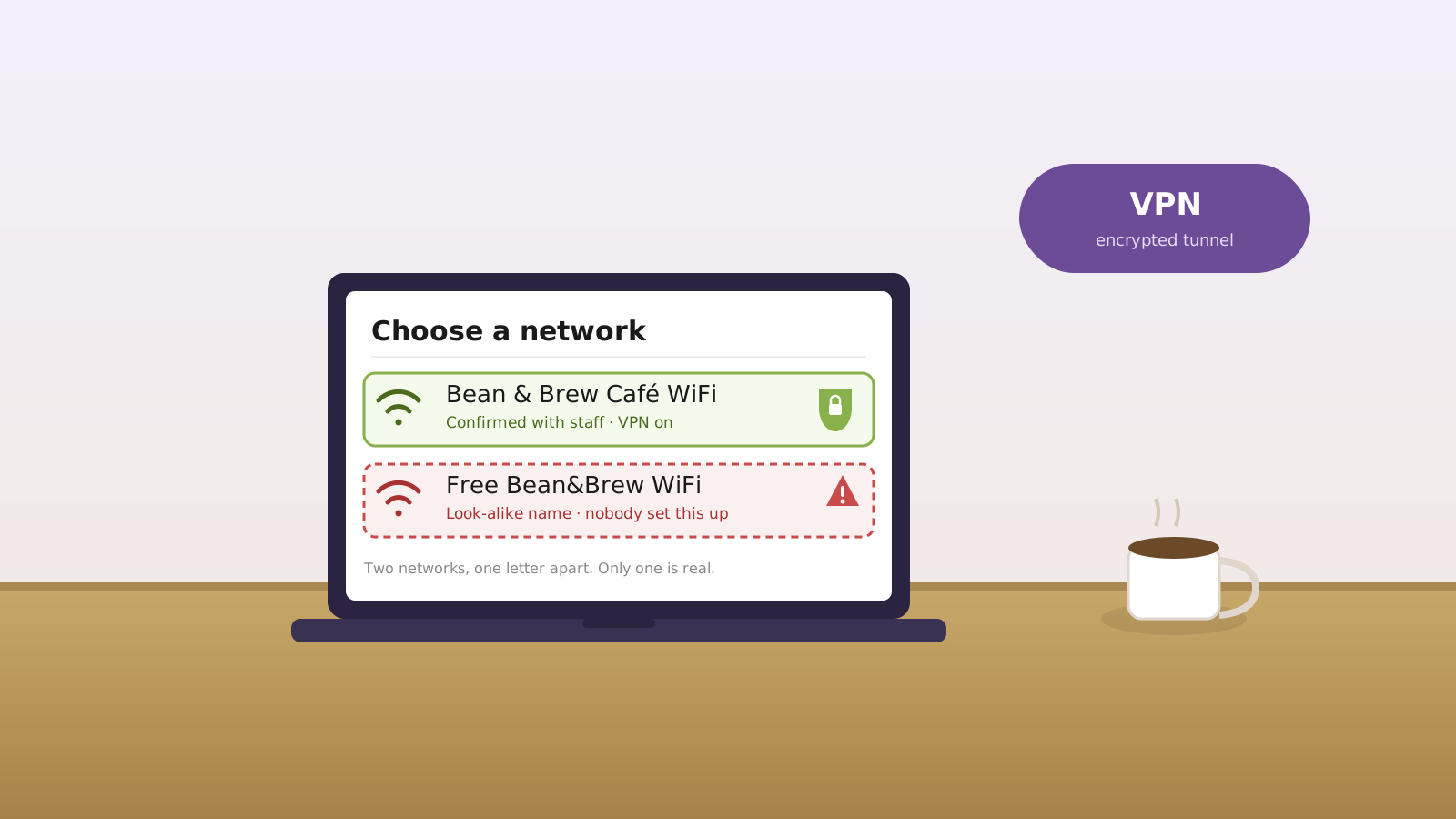
The problem wasn't that she'd clicked something daft. It was that she'd connected to the wrong network. The hotspot name was almost identical to the café's real Wi-Fi, but it had been set up by someone nearby hoping people would join it without checking. That kind of fake hotspot — often called an "evil twin" — is exactly why public Wi-Fi is risky for anything sensitive.
By the time we walked through the door, we locked the account down, reset access, checked for damage and turned on tighter protections. But the better fix would have been much simpler: use mobile data for sensitive tasks, or connect through a VPN before logging into anything important.
Worth saying plainly: that practice wasn't one of ours at the time. If it had been, travelling staff would already have had a company VPN switched on by default — and that Tuesday lunchtime scramble would never have happened.
Why this matters
- Consumer: Public Wi-Fi can expose personal data such as passwords, banking details and shopping logins if you connect to an insecure or fake hotspot. The NCSC's advice for you and your family is plain about the risks of unknown networks. NCSC: Cyber security advice for you & your family (2026).
- Business: The NCSC says public Wi-Fi or insecure networks can allow attackers on the same network to intercept or modify your data — which matters directly for staff logging into work systems remotely. NCSC: Virtual Private Networks (VPNs) guidance (2026).
The fix
The fix at home is to keep sensitive logins off random public Wi-Fi — use your phone's mobile data instead. The fix at work is to make a company VPN the default for anyone working away from the office, and to back it up with hardened Microsoft 365 access and clear device rules. We deliver this as part of our managed IT support, alongside Secure State for the wider cyber posture.
Three things you can do this week
🏠 At home
Don't use random public Wi-Fi for banking, shopping accounts or email. If you need to do something sensitive while you're out, use your phone's mobile data or hotspot instead. It's the connection you control — and it's a far safer bet than a network anyone nearby could be running.
🏢 At work
If staff use email, Microsoft 365, CRMs or file systems while travelling, give them a company VPN and make it part of the policy, not an optional extra. This is one of the controls we deploy as part of our Connected offering — networks and remote access set up properly — layered on top of Secure State. Roll it out yourself and you're solving part of the problem; the rest is making it the default nobody has to think about.
🌍 For everyone
Turn off auto-join, check the exact name of the network with staff before connecting, and avoid fake hotspots with names like "Free Café Wi-Fi" or near-duplicates of the real one. Thirty seconds of checking the name beats a week of cleaning up after the wrong one.
Which way of connecting is actually safe?
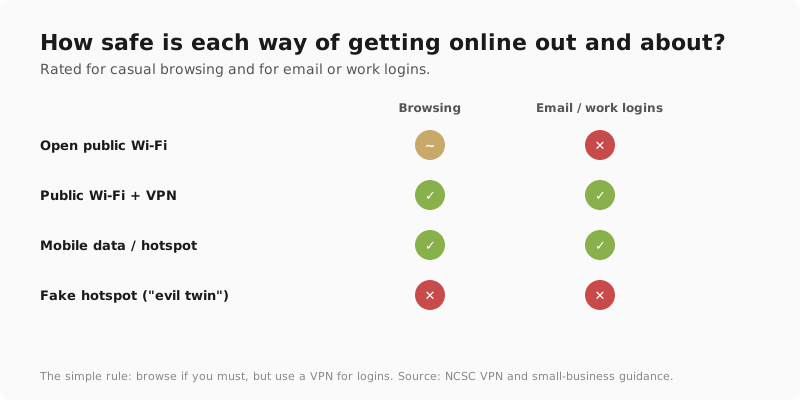
Honest comparison — this is the advice we give staff working from cafés, trains and client sites.
| Approach | Safe for browsing? | Safe for email/work logins? | Best use |
|---|---|---|---|
| Open public Wi-Fi | ⚠️ Sometimes | ❌ No | Quick browsing only |
| Public Wi-Fi + VPN | ✅ Yes | ✅ Yes, generally | Travel and remote work |
| Mobile data / hotspot | ✅ Yes | ✅ Yes | Best for sensitive tasks |
| Fake hotspot / "evil twin" | ❌ No | ❌ No | Avoid entirely |
What this looks like locally
We've helped businesses across Tameside, Stockport and Manchester lock down laptops and mobiles for staff working in cafés, trains and client sites. The pattern is always the same: people don't think of public Wi-Fi as risky because it feels normal — but normal is exactly what makes it easy to trust the wrong network.
For the wider picture on what's actually targeting local businesses right now, see our June Manchester SMB Threat Brief.
Frequently asked
Is public Wi-Fi safe for banking?
Not really. The safer option is mobile data or a trusted VPN, because banking on open or fake Wi-Fi creates unnecessary risk. If you have to check your balance while you're out, switch to your phone's mobile data rather than a café or hotel network you don't control.
Do I really need a VPN on café Wi-Fi?
If you're just reading the news, probably not. If you're logging into email, work systems or anything sensitive, yes — that's exactly where a VPN helps. It encrypts what you send so other people on the same network can't easily read or tamper with it.
What is a fake Wi-Fi hotspot?
It's a wireless network set up to look like the real one so people connect without noticing, allowing attackers to capture data or credentials. It's often called an "evil twin" because the name is almost identical to the genuine network nearby — which is why checking the exact name with staff matters.
Is mobile data safer than public Wi-Fi?
In most cases, yes. For sensitive tasks, using your own phone connection or hotspot is usually the safer choice than random public Wi-Fi, because the connection is yours rather than a network anyone nearby could be running. It's the simplest safe habit there is.
Should staff be allowed to use public Wi-Fi for work?
Only with clear rules: VPN first, no auto-join, and no sensitive access without protection. Put it in writing so it's the default expectation, not something each person decides for themselves on the day. A short, plain policy beats a long one nobody reads.
"Public Wi-Fi isn't evil. It's just public. That's the bit people forget." — Brett Casterton, Inology IT
Let's lock it down.
I'm Brett at Inology IT. We can lock down laptops, phones and Microsoft 365 access so staff can work safely from cafés, trains and client sites — without exposing passwords or client data.
Last reviewed by Brett Casterton, June 2026.